Skill-Based Dispatch
Skill-based dispatch helps you assign jobs to technicians who are actually qualified for them — without hard-blocking anyone.
Setting up skills
- Under Maintenance → Skills, create the skills your business cares about (e.g. "EPA 608 Certified," "Gas Line Certified," "Mini-Split Install").
- On each service in your catalog, attach the skills that service requires. A job's overall required skills are the union of the skills of everything on it.
- On each team member's user record, attach the skills they hold.
How ranking works
When you open the Assigned To field on a job, or the Dispatch board, technicians are ranked by:
- Skill coverage — how many of the job's required skills they hold, highest first
- Workload — among equally qualified technicians, whoever has fewer visits already scheduled that day
- Name — as a final, stable tie-break
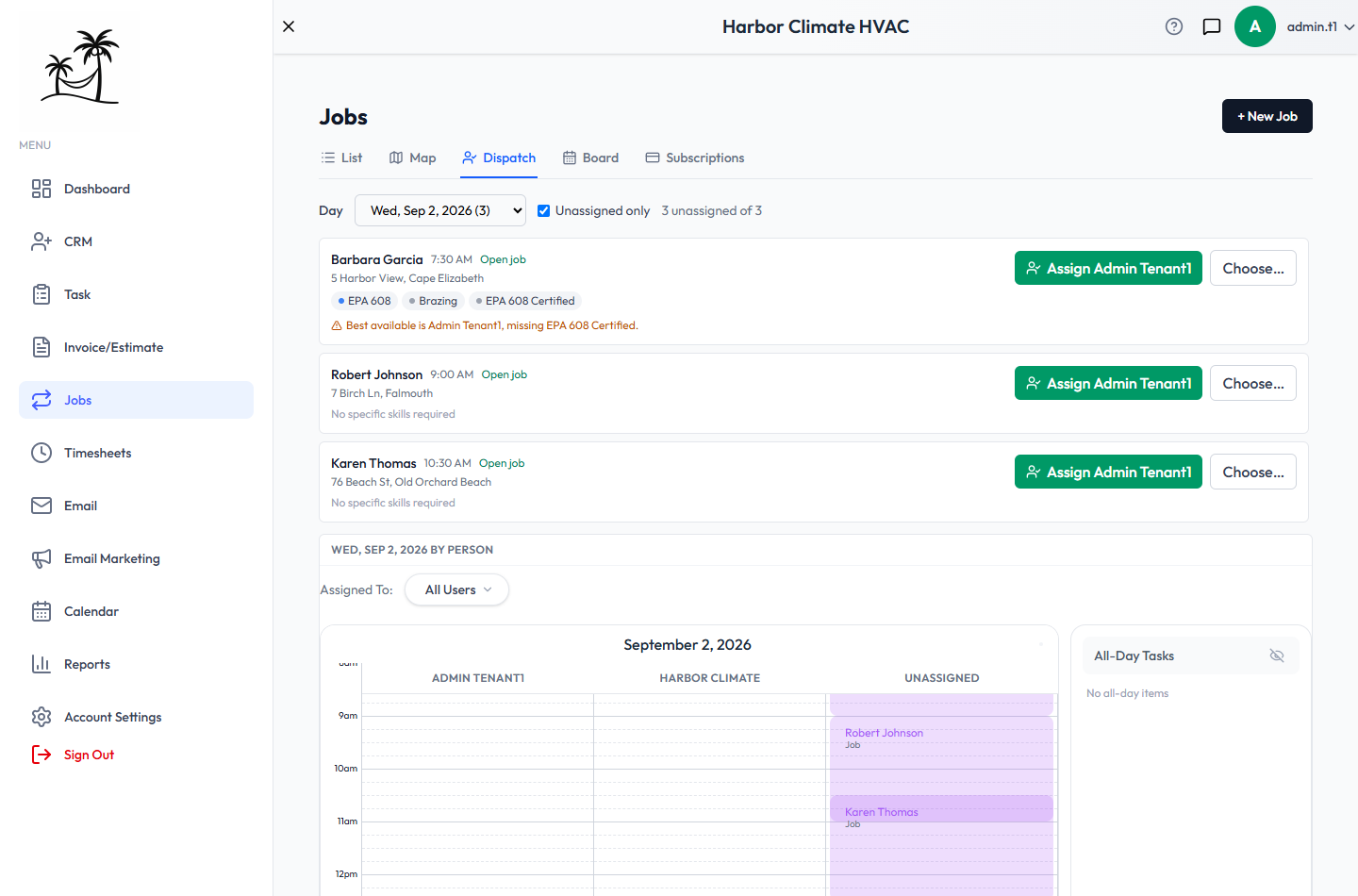
A technician missing some required skills still shows up and can still be assigned — this is guidance, not a hard block. The system will flag what they're missing so you can make the call.
The Dispatch board
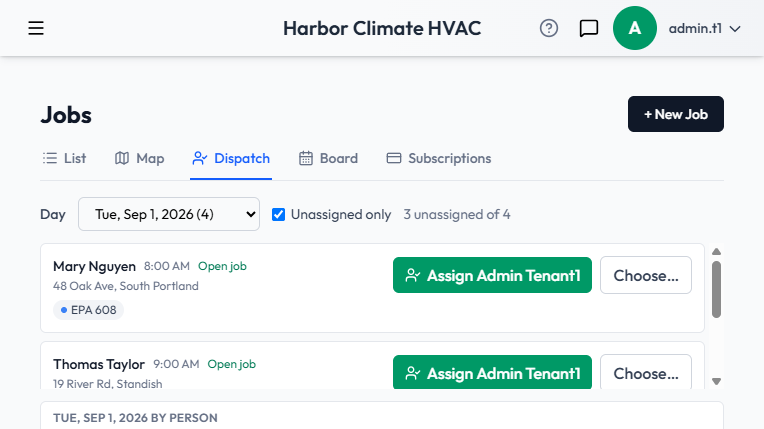
Under Jobs → Dispatch, see the day's unassigned visits with their required skills and the best-matching technician suggested for each, with a one-click assign.
Demo data
If you want to see this feature populated with sample data, Admin → Demo Data has an option to seed a service group's skills and attach them to that group's catalog services automatically.