Board
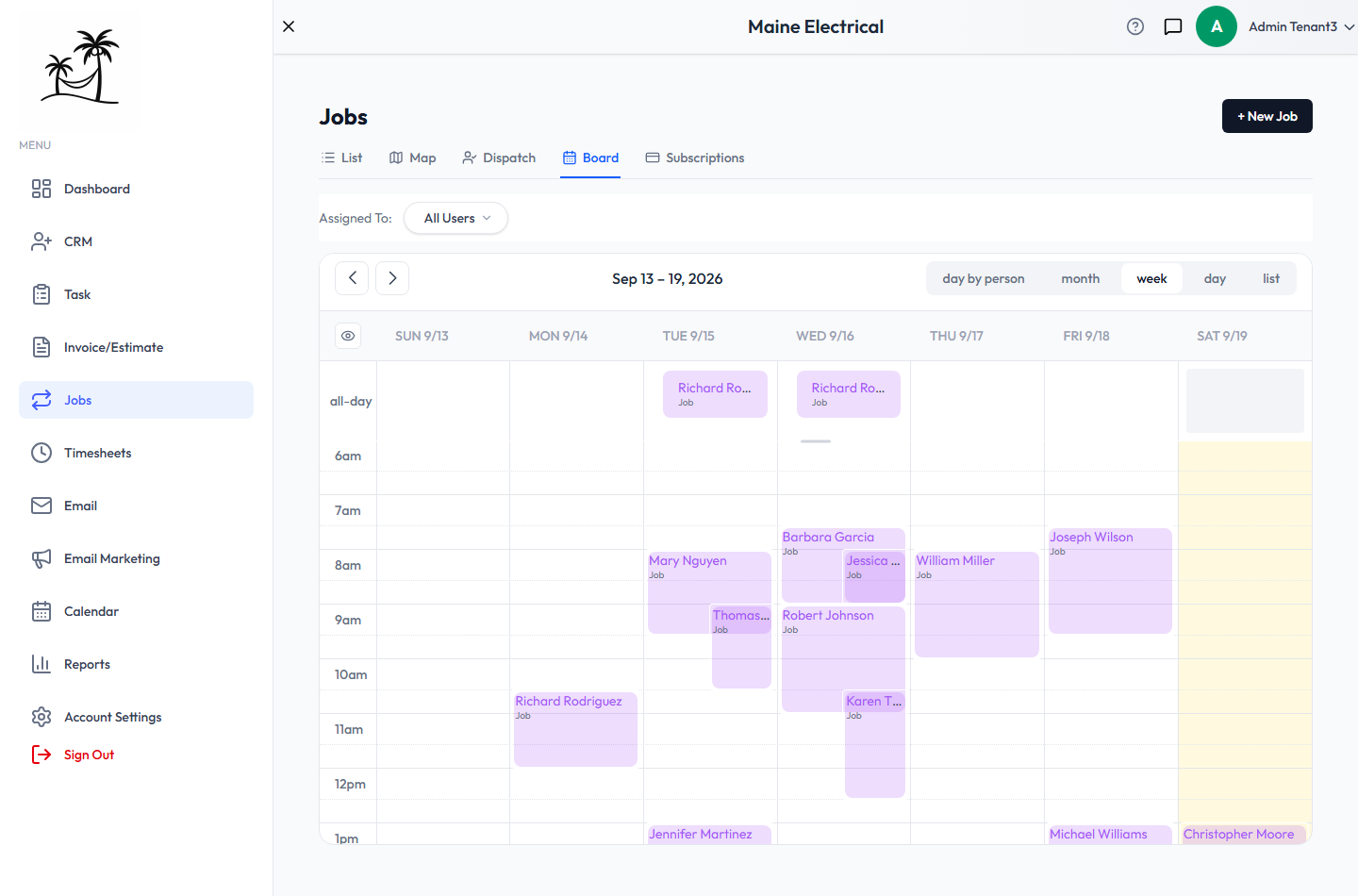
The Board tab in Jobs is a calendar of job work only: the visits your recurring jobs create and the tasks on your multi-task jobs. Leads, sales tasks and other appointments are left out, so you see just the field schedule.
Views
The buttons at the top right switch the view:
- week — the default. Visits at their start times, all-day entries across the top.
- day by person — one column per person, for seeing who's doing what on a single day.
- month, day and list.
Use the arrows to move back and forward. Assigned To narrows the calendar to one person's work.
Visits with a start time sit at that time for their duration. Visits and tasks without one appear as all-day entries.
Working on the Board
- Click a visit or task to open it — to update its status, reassign it or add notes.
- Drag an entry to another time or day to reschedule it. A visit moved here moves everywhere: the Map, Dispatch and, under per-visit billing, the day it's invoiced for.
- Drag its bottom edge to change how long it runs.
A job can only have one visit on a given day, so dragging a visit onto a day that already has one from the same job is refused, with a message saying why.
Board or Calendar?
The main Calendar shows everything — leads, sales tasks, appointments and jobs together. Use the Board when you only care about field work; use the Calendar for the whole picture. See Scheduling Appointments.
Related
- Dispatch — assigning a day's visits
- Map & Route Planning — the order to drive them in