Dispatch
The Dispatch tab in Jobs is where you hand out a day's work. It lists the day's job visits, suggests the best person for each one based on their skills and how busy they already are, and shows everyone's day side by side underneath.
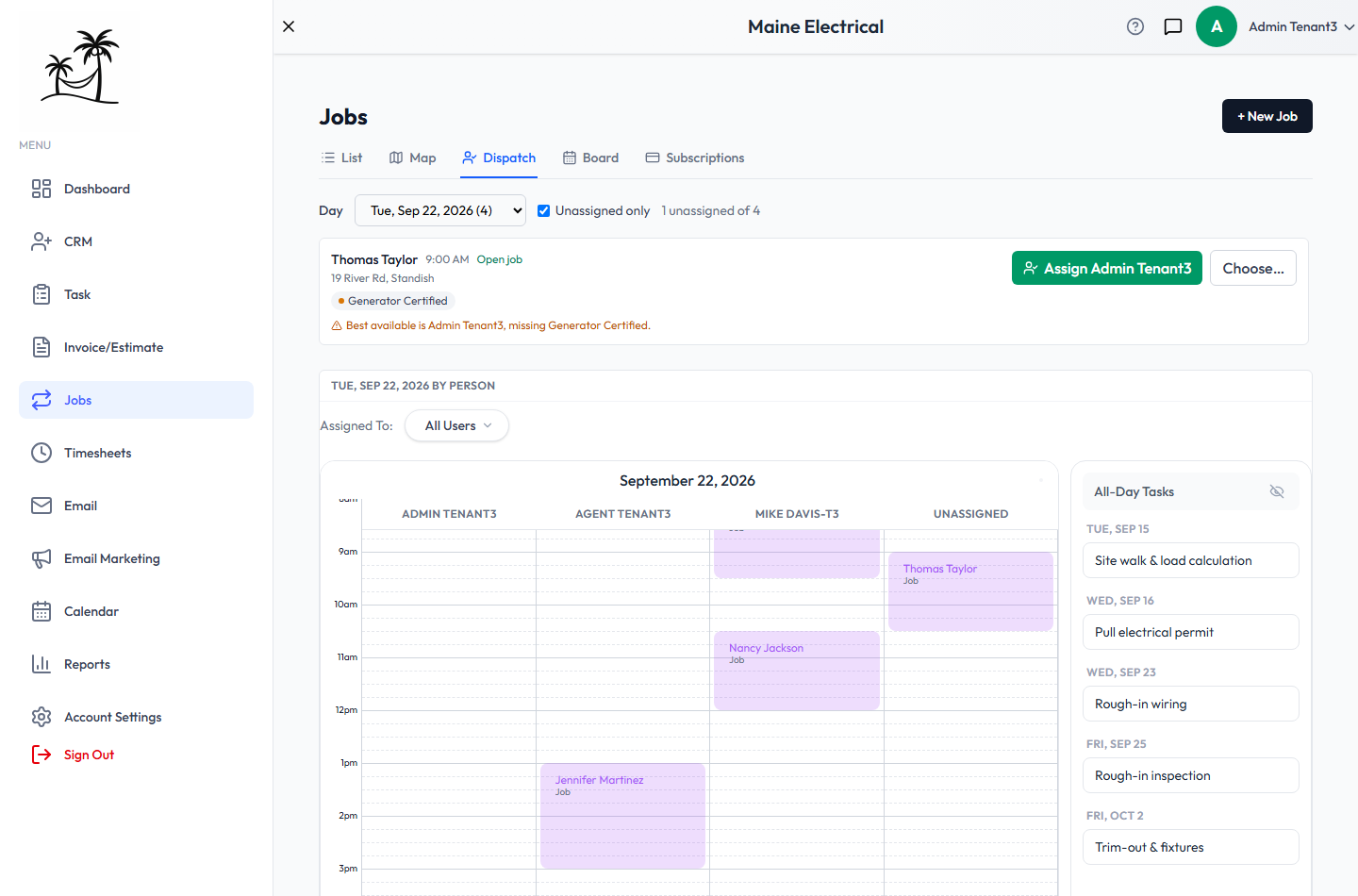
The visit list
- Day picks the date. Each date shows how many visits it has.
- Unassigned only is on by default, so the list is just the work still to hand out. The count beside it — 1 unassigned of 4 — tells you how much is left.
Each visit shows the client, the time, the address, and the skills the work needs as coloured chips — or No specific skills required. Open job goes to the job.
On the right:
- Assign name gives the visit to the top suggestion in one click.
- Choose… opens the full ranked list, so you can pick someone else.
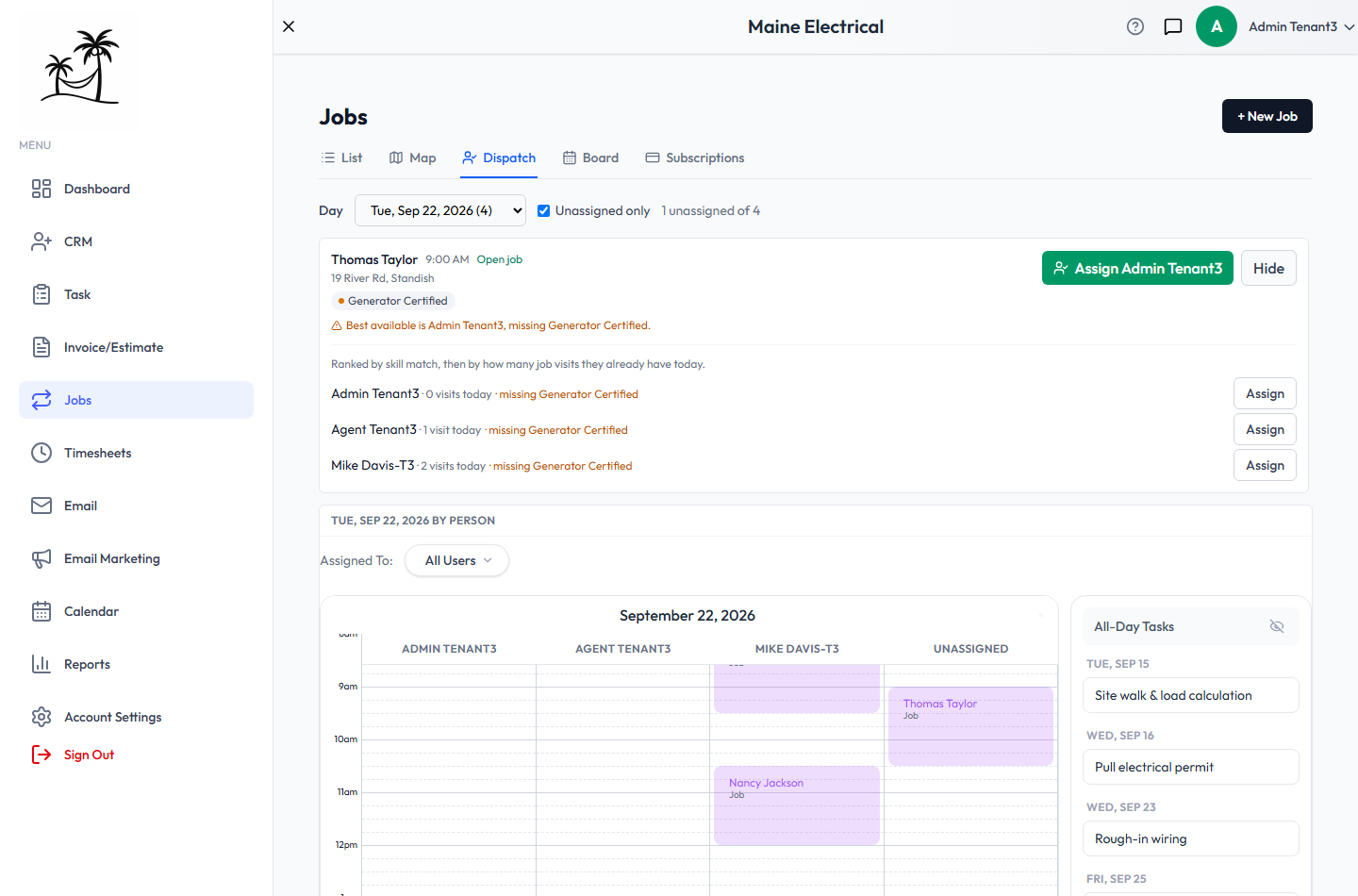
If even the best person is missing a skill the visit needs, a warning says so — Best available is Admin Tenant3, missing Generator Certified. That's guidance, not a block: you can still assign them, but you'll want to know before you do.
An assigned visit shows its technician with an Unassign button.
Assigning here changes that one visit, not the job — and it sticks: editing the job later won't undo it, unless you change the job's own Assigned To and choose to apply that to its upcoming visits, or change its schedule, which rebuilds them. To hand a client's whole schedule to someone, set Assigned To on the job instead.
How technicians are ranked
Everyone active on your account is ranked for each visit by:
- Skill match — how many of the visit's required skills they have, most first.
- Workload — among equally matched people, whoever has fewer job visits that day.
- Name — as a final tie-break, so the order doesn't jump around.
The same ranking orders the Assigned To list in the job editor.
The day by person
Below the visit list is the chosen day as a calendar with one column per person, plus Unassigned. It fills in as you assign, so you can see at a glance whether someone's day is too full. Assigned To filters the columns, and All-Day Tasks lists tasks with no set time — including multi-task job steps.
Setting up skills
Suggestions need three things set up. Until they are, Dispatch tells you so, and everyone ranks equally.
- Create the skills under Account Settings → Skills — whatever your work actually calls for, such as "Master Electrician" or "Generator Certified".
- Tag your services. On each service in your catalog, attach the skills it needs. A visit needs every skill of every service on its job's line items.
- Tag your people. On each user under Users, attach the skills they hold.
Related
- Map & Route Planning — the order to drive the day in
- Board — every visit across the week
- Recurring Service Jobs — where the visits come from