Business Reports Overview
Reports gives you six built-in reports: Invoice, Lead, Task, Job, Client, and Estimate. Each is sortable and groupable by the fields that matter for that record type, and can be previewed before you commit to downloading anything.
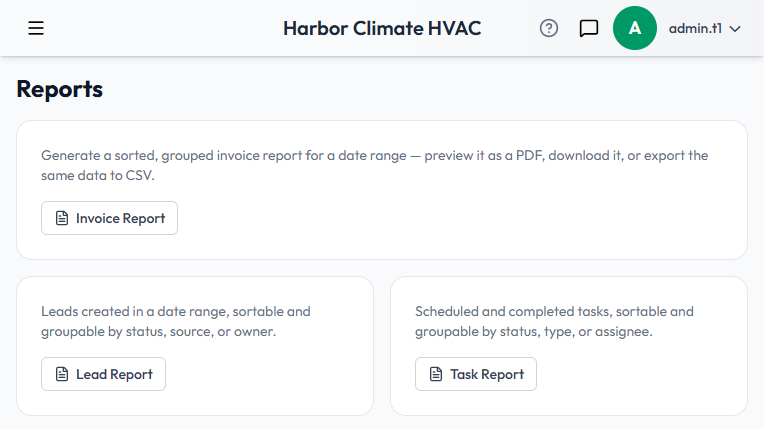
The Invoice Report
The most built-out of the six — worth understanding in detail since the others follow the same shape:
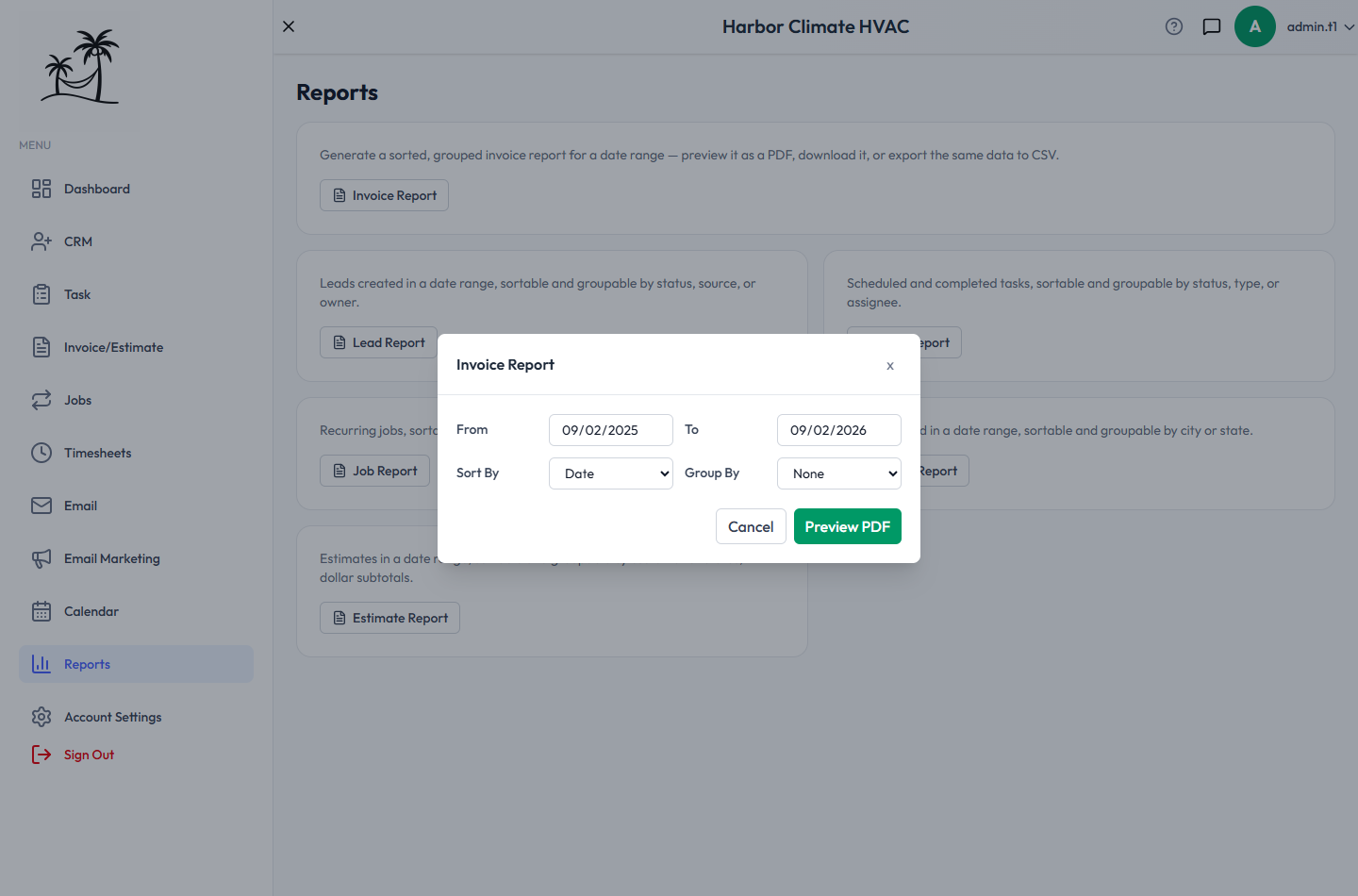
- Click Invoice Report to open the report builder.
- Pick a From and To date — it defaults to the trailing 12 months.
- Choose how to sort: Date, Invoice #, Customer, Status, Total, or Balance Due.
- Choose how to group: no grouping, or broken into sections by Customer, Status, or Month.
- Click Preview PDF to generate it.
Each invoice row shows Date, Invoice #, Customer, Status, Total, Paid, and Balance Due. If you chose a grouping, each group gets its own heading with a subtotal row. The report opens in a preview pane first, so you can check it before committing to a download.
- Download PDF saves the exact report you're previewing.
- Export CSV exports the same grouped, sorted data as a CSV, with group headings and subtotal rows preserved.
- ← Back lets you adjust date range, sort, or grouping and regenerate without starting over.
The other reports
- Lead Report — leads created in a date range, sortable and groupable by status, source, or owner.
- Task Report — scheduled and completed tasks, sortable and groupable by status, type, or assignee.
- Job Report, Client Report, Estimate Report — the same pattern applied to jobs, clients, and estimates respectively.
Team-hours reporting
Payroll-ready timesheet reporting — subtotaled per employee, with GPS-verified clock-ins — lives under GPS Tracking & Timesheet Review rather than here, since it's admin-only and tied directly to the timeclock.
Tips
- Group the Invoice Report by Status for a quick read on how much is still outstanding — the subtotal row per group totals everything unpaid.
- Group by Month for a simple month-over-month view of invoicing volume.
- Group by Customer before a specific client conversation.
- Use CSV export instead of PDF if you want to do further math on the numbers.