Campaigns
A campaign sends one template to one mailing list, now or at a time you pick, and then tracks what happened to each email. The Campaign tab in Email Marketing lists them all.
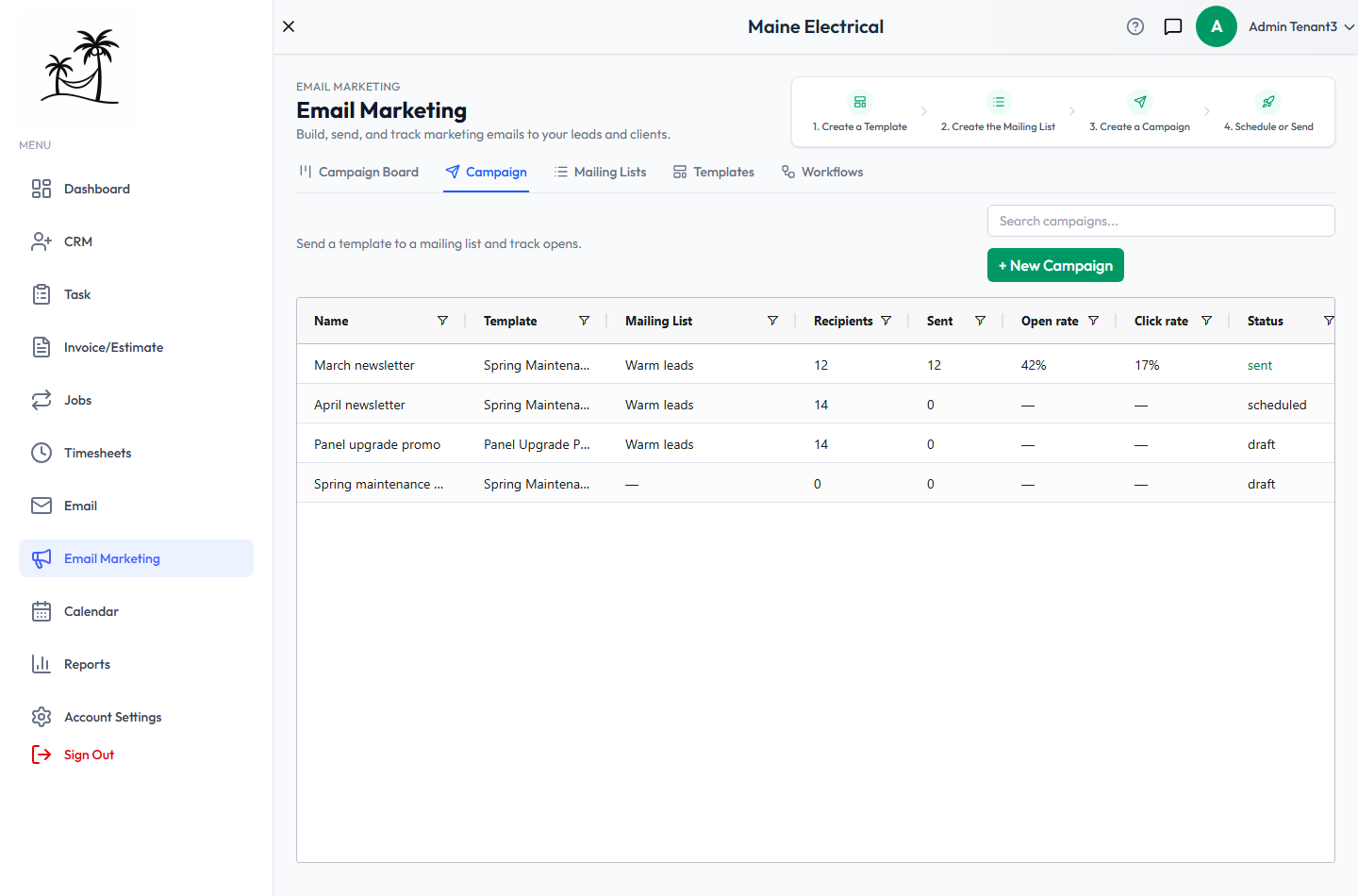
The list
- Search campaigns… matches the campaign name.
- Columns are Name, Template, Mailing List, Recipients, Sent, Open rate, Click rate, Status and Created. Open and click rates show a dash until something has actually been sent.
- Status is
draft,scheduled,sending,sentorcancelled. - Double-click a campaign to open its results.
Creating a campaign
Click + New Campaign.
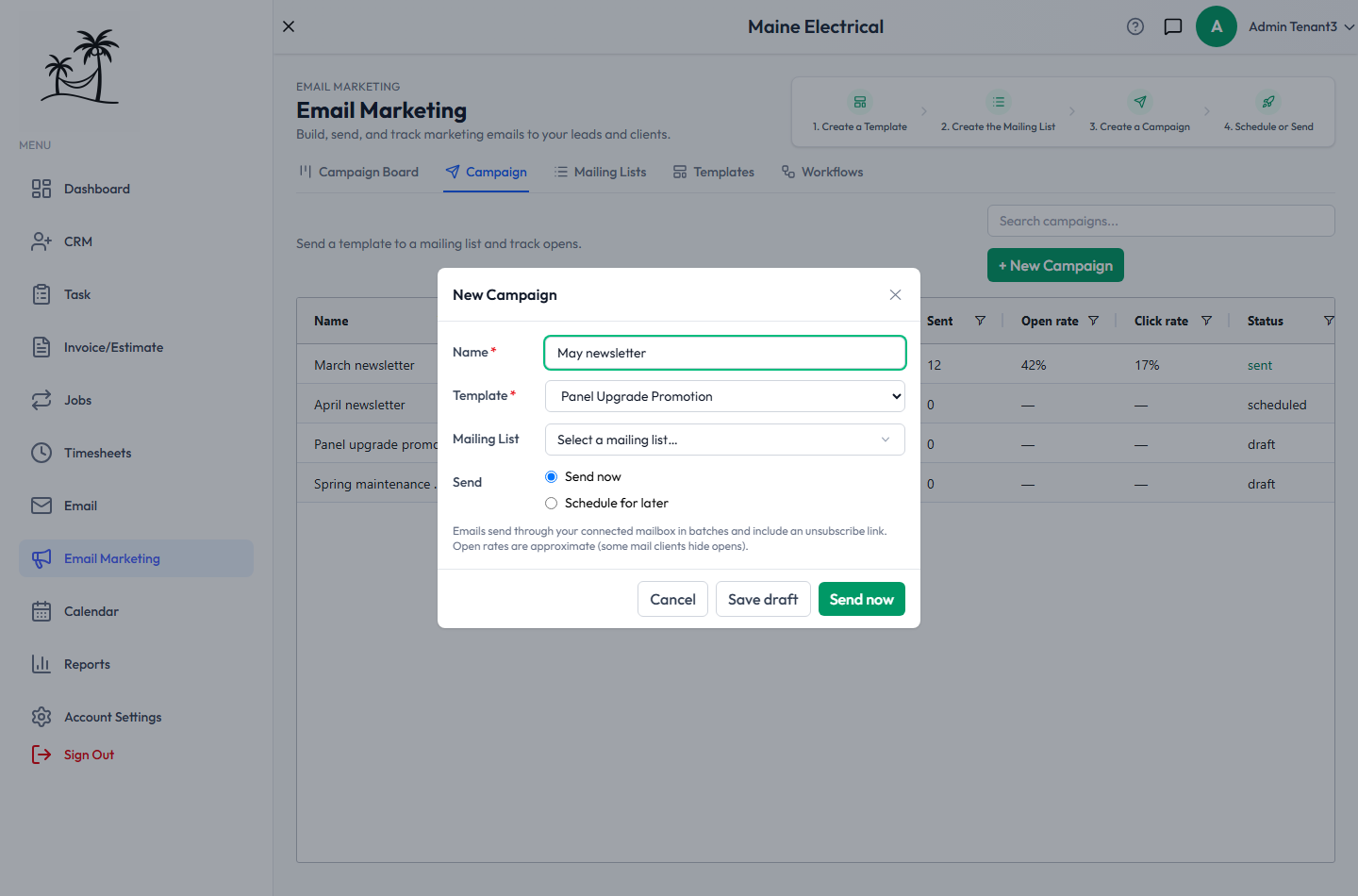
- Name is internal — it identifies the campaign in this list, not to recipients. Required.
- Template supplies the subject and the body. Required, and it's the only way to set them: a campaign has no free-text message of its own.
- Mailing List is who it goes to. Leave it empty for now if you're not ready; the campaign sits in Draft until a list is attached.
- Send is either Send now or Schedule for later, which asks for a date and time.
Then choose:
- Send now creates the campaign and starts sending.
- Save draft keeps it without sending, so you can come back to it.
- Cancel discards it.
Every campaign email carries an unsubscribe link automatically, and emails go out through your connected mailbox in batches rather than all at once. See Email Setup for which mailbox that is.
Starting from records you've picked
In the Leads or Clients grid, tick some rows and choose … → Send campaign. Email Marketing opens with those records already set as the campaign's audience, so you don't need a saved mailing list for a one-off send.
For anything you'll repeat, a segment mailing list is better — it stays accurate as new records move into that status or tag later.
Reading the results
Double-click a campaign, or click its card on the Campaign Board.
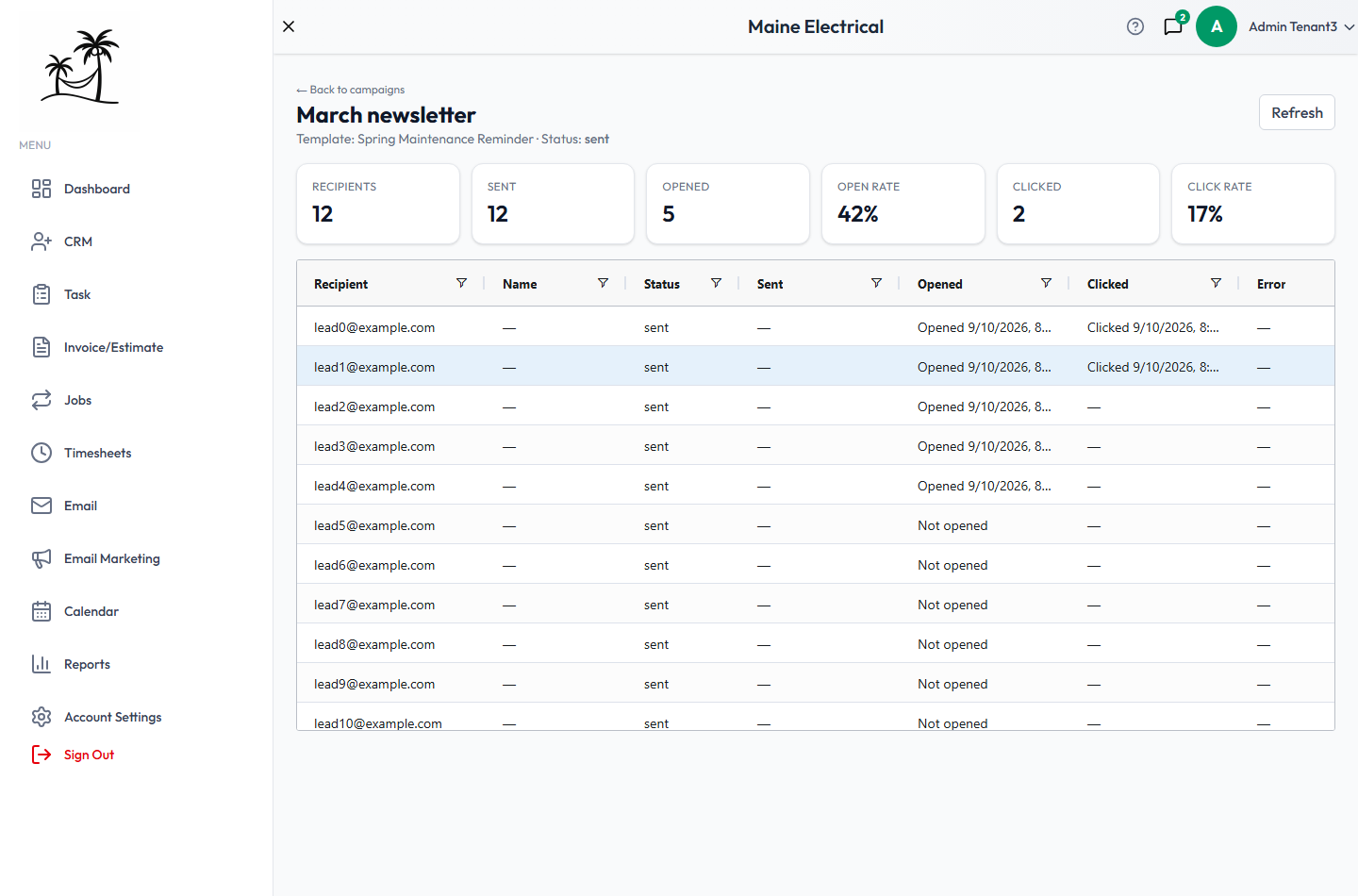
The tiles across the top are Recipients, Sent, Opened, Open rate, Clicked and Click rate.
Below them, one row per recipient shows the address, the name, the delivery status, when it was sent, when it was opened, when a link was clicked, and any error. Sort or filter the grid to pull out the people who opened, or the addresses that failed.
Refresh re-reads the numbers while a campaign is still sending.
Open rates are approximate. Many email programs block the tracking pixel outright, so the real number is always at least as high as the one shown. Treat it as a direction, not a measurement — and weigh click rate and replies alongside it.
Launching, cancelling and deleting
The buttons at the top of a campaign depend on its status:
- A draft can be edited, deleted, or launched with Launch — you'll be asked to confirm.
- A scheduled or sending campaign can be stopped with Cancel campaign. Emails already sent stay sent; pending ones won't go out.
- A sent campaign is a record. It can't be edited or re-sent — copy its template into a new campaign instead.
Tips
- Build the template and the mailing list before you create the campaign. The four steps at the top of Email Marketing are in that order for a reason.
- Send yourself a test first by making a one-recipient list with your own address.
- If a whole campaign fails, check Email Setup before anything else.
Related
- Campaign Board — the same campaigns as cards
- Mailing Lists — audiences and opt-outs
- Templates — what a campaign sends