Campaign Board
The Campaign Board is the first tab in Email Marketing and the quickest way to see where your campaigns stand. Every campaign is a card in one of four columns.
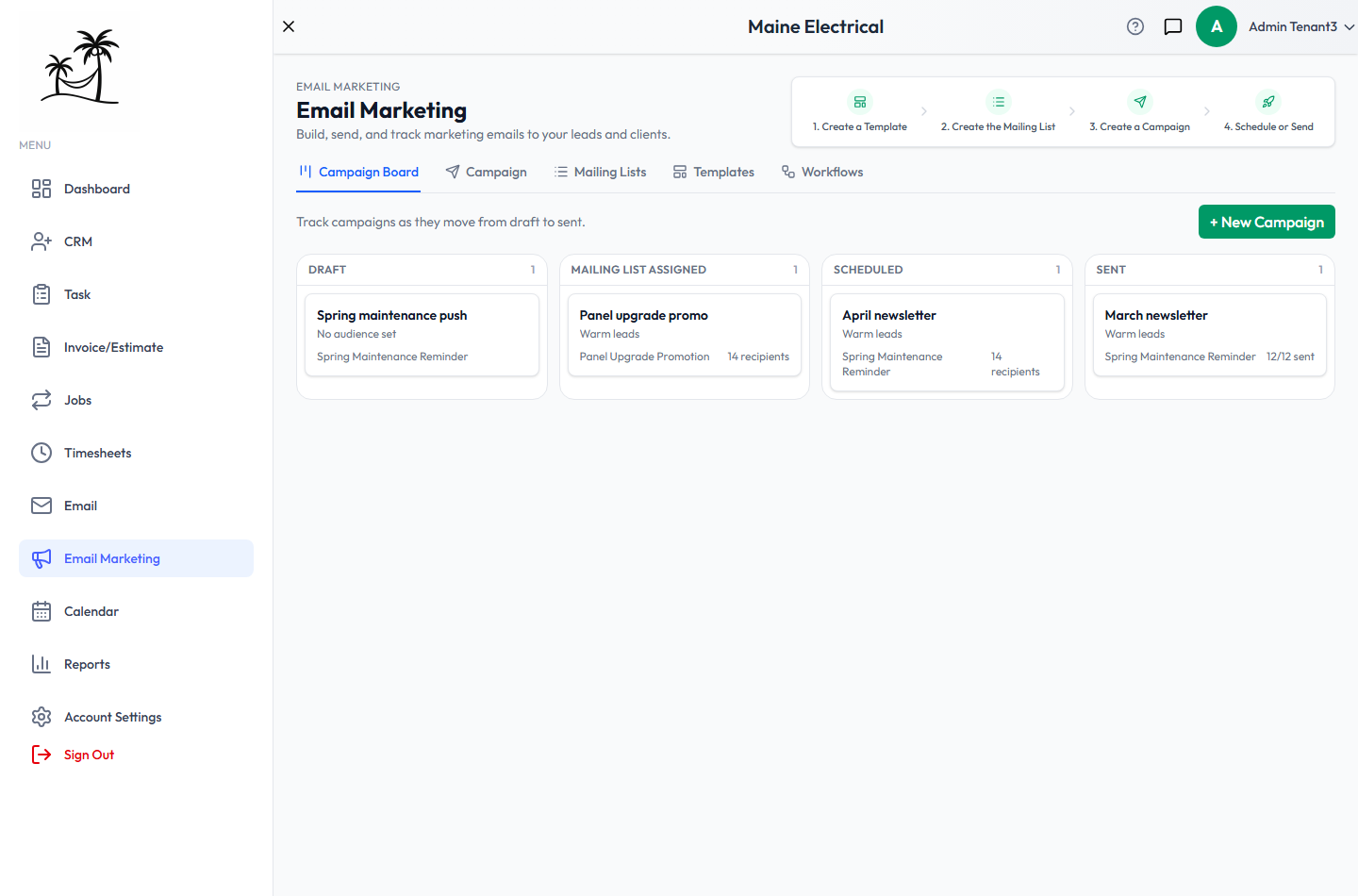
The columns
| Column | What's in it |
|---|---|
| Draft | A campaign with no audience yet. It has a name, and usually a template, but nothing to send to. |
| Mailing List Assigned | Still a draft, but a mailing list is attached. It's ready to send. |
| Scheduled | Waiting for its send time, or sending right now. |
| Sent | Finished. |
The count in each column header tells you how many campaigns are sitting there. A pile-up in Draft usually means campaigns that were started and never given an audience.
The cards
Each card shows the campaign's name, its audience (the mailing list name, or a summary such as "8 leads, 2 clients"), and its template. On the right of the card is a recipient count, or 12/12 sent once it's sending or sent.
Click a card to open the campaign in full, where you can edit, launch, cancel or read its results. See Campaigns.
Cards can't be dragged between columns — a campaign moves along on its own as you give it a list and send it.
Starting a campaign
+ New Campaign opens the same window as the Campaign tab's button. See Creating a campaign.
The four steps across the top of Email Marketing — Create a Template, Create the Mailing List, Create a Campaign, Schedule or Send — are the order to work in if you're setting this up for the first time.
Related
- Campaigns — the full list, and campaign results
- Mailing Lists — who a campaign goes to
- Templates — what a campaign sends