Company Profile & Branding
Your company profile drives what customers see on estimates, invoices, and the customer portal, and is only visible to superusers.
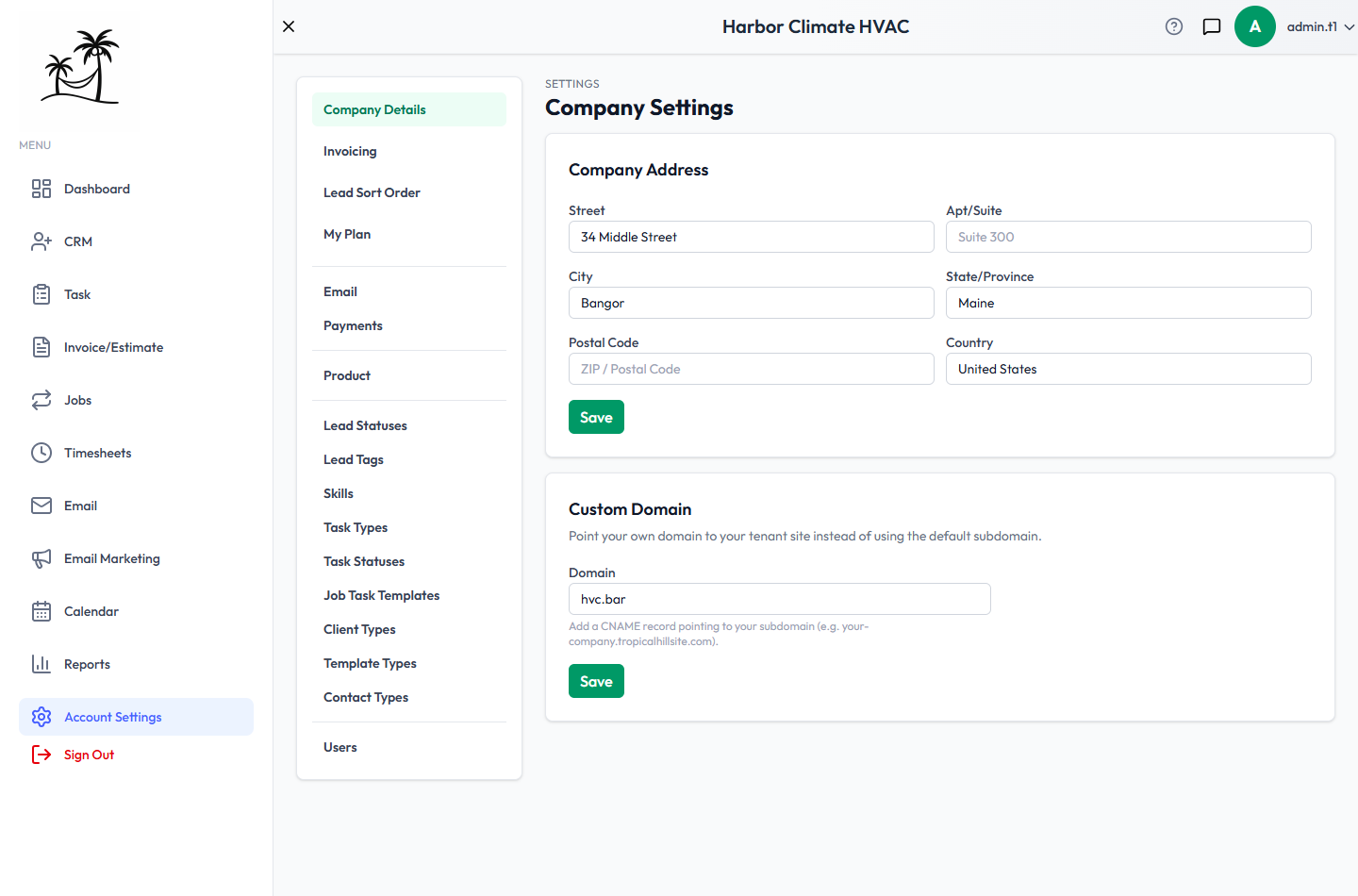
Company Details
Set your business address — street, suite, city, state, postal code, country. This is also what gets geocoded for route planning on the Jobs day-map. A Custom Domain field lets you point your own domain at your Tropical Hill subdomain via a CNAME record.
Invoicing
Upload your Company Logo here — it's what actually appears on invoice and estimate PDFs, so it's worth setting up before your first one goes out. Set a Default Tax Rate that pre-fills on new estimates and invoices; it's just a starting point and can be overridden on any individual document.
Default Terms & Notes fills in the wording you'd otherwise retype on every document:
- Default Payment Terms — Due on Receipt, Net 15, Net 30, Net 60, or Net 90. New invoices open on this instead of Net 30.
- Default Invoice Notes and Default Estimate Notes — the standing text that goes in the customer-visible Notes field, such as warranty wording, a late-payment policy, or how to reach you about the work.
All three are starting points only. Change them on any single document without affecting the defaults, and clear a field here to stop it pre-filling at all. Changing a default never touches documents you've already created.
Lead Sort Order
Build the default sort order for your Leads grid by adding statuses and/or tags into a list and reordering them — see Lead Statuses and Lead Tags for how statuses and tags work.
My Plan
- See your billing status at a glance — Trial, Active, Past Due, Canceled, Expired, or Pending — with a countdown if you're still in a trial.
- Manage Billing takes you to the Stripe Customer Portal to update your payment method, view past invoices, or cancel — this hands off to Stripe directly rather than being handled in-app.
- Compare Plans lets you switch plans without leaving Tropical Hill: moving between paid plans applies immediately with prorated billing, while starting a brand-new subscription opens an embedded Stripe checkout right on the page.
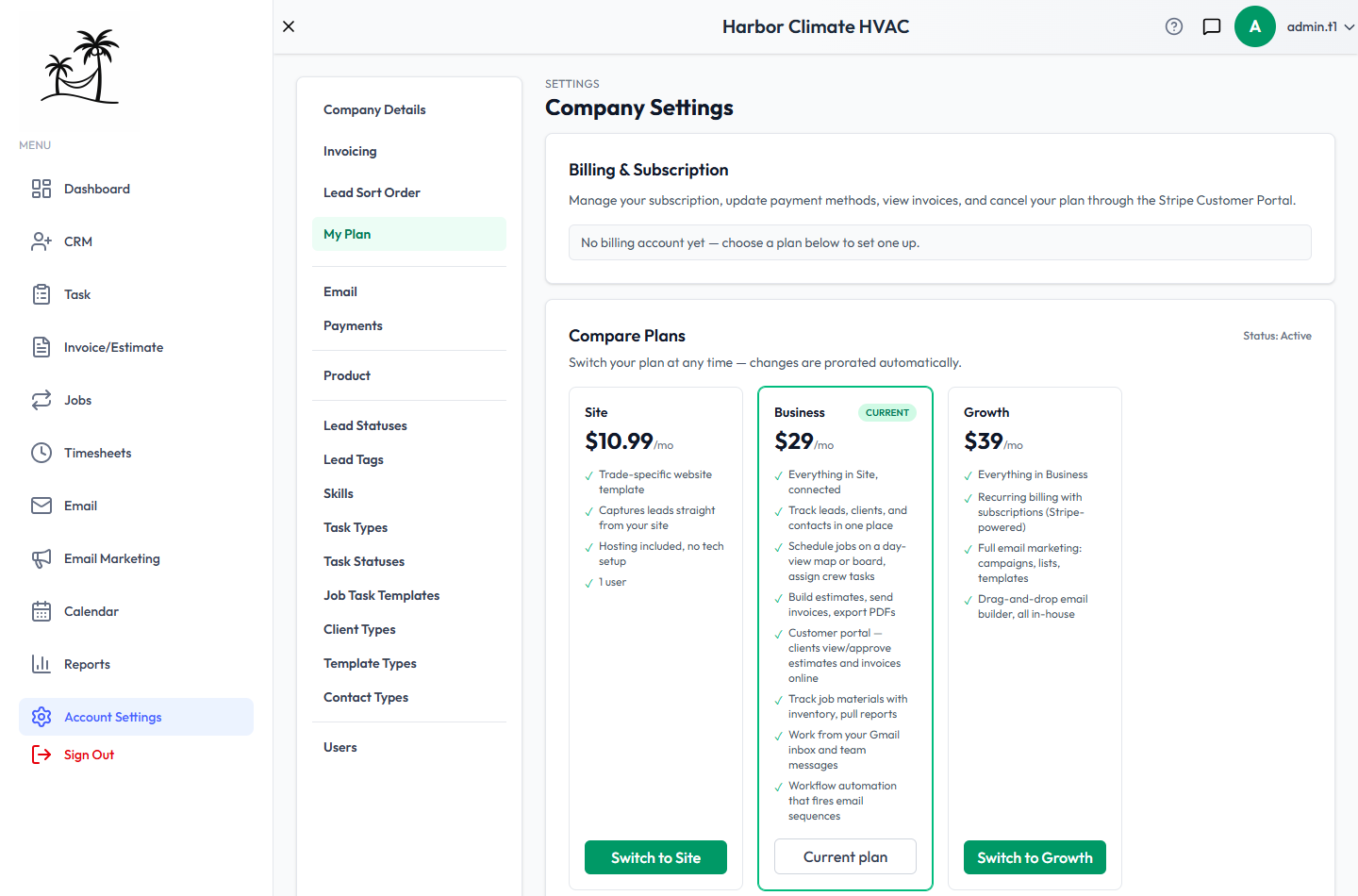
The rest of Account Settings
The four sections above are tabs on this page. The rest of the list — Email, Payments, Product, the lists you choose from, and Users — each opens its own page. Setting Up Your Company covers all of them, and which to set up first.
On a website-only plan, the list shows just Company Details and My Plan. Everything else comes with the plans that include the CRM.
Tips
- Set your logo and default tax rate on day one — both are easy to forget until your first invoice is already halfway built.
- If you're approaching your user seat limit, check here before you need the next hire — it's a one-click upgrade instead of a blocked "Add User" attempt at a bad moment.