Managing Services and Pricing
The Service Catalog (Invoice/Estimate → Product) is the price list every estimate, invoice, and job line item pulls from. Every time you add a line item from a catalog dropdown, this is where it actually lives and gets maintained.
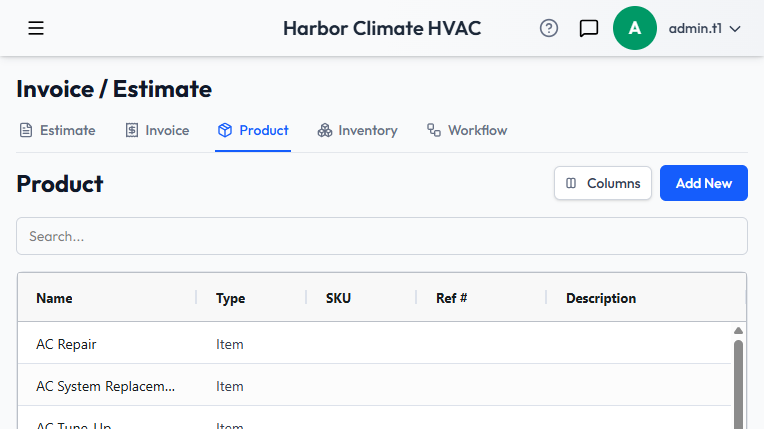
The catalog grid
Columns include Name, Type (Item or Package), SKU, Ref #, Description, Price, Cost, Unit, Category, Skills, Taxable, and Status. Package rows are visually distinct so you can tell bundles from single items at a glance. The search box filters across name, description, category, and unit.
Adding an item
- Name and Unit are required; everything else is optional.
- Price is the default unit price that pre-fills when this item is added elsewhere — you can still override it on any individual line. Cost is separate, for your own margin tracking.
- Unit is a free-text field, not a fixed list — "each," "hour," "sqft," "lb," "yard," "visit," and "month" are all real examples in use, so use whatever unit makes sense for the item.
- Category is free text (e.g. "Plumbing," "Electrical") for your own organization.
- Taxable controls whether this item's price is included when tax is calculated, matching the per-line taxable checkbox on estimates and invoices.
- Active/Inactive retires an item without deleting it — inactive items stop showing up when adding line items elsewhere, but stay on record for anything that already used them.
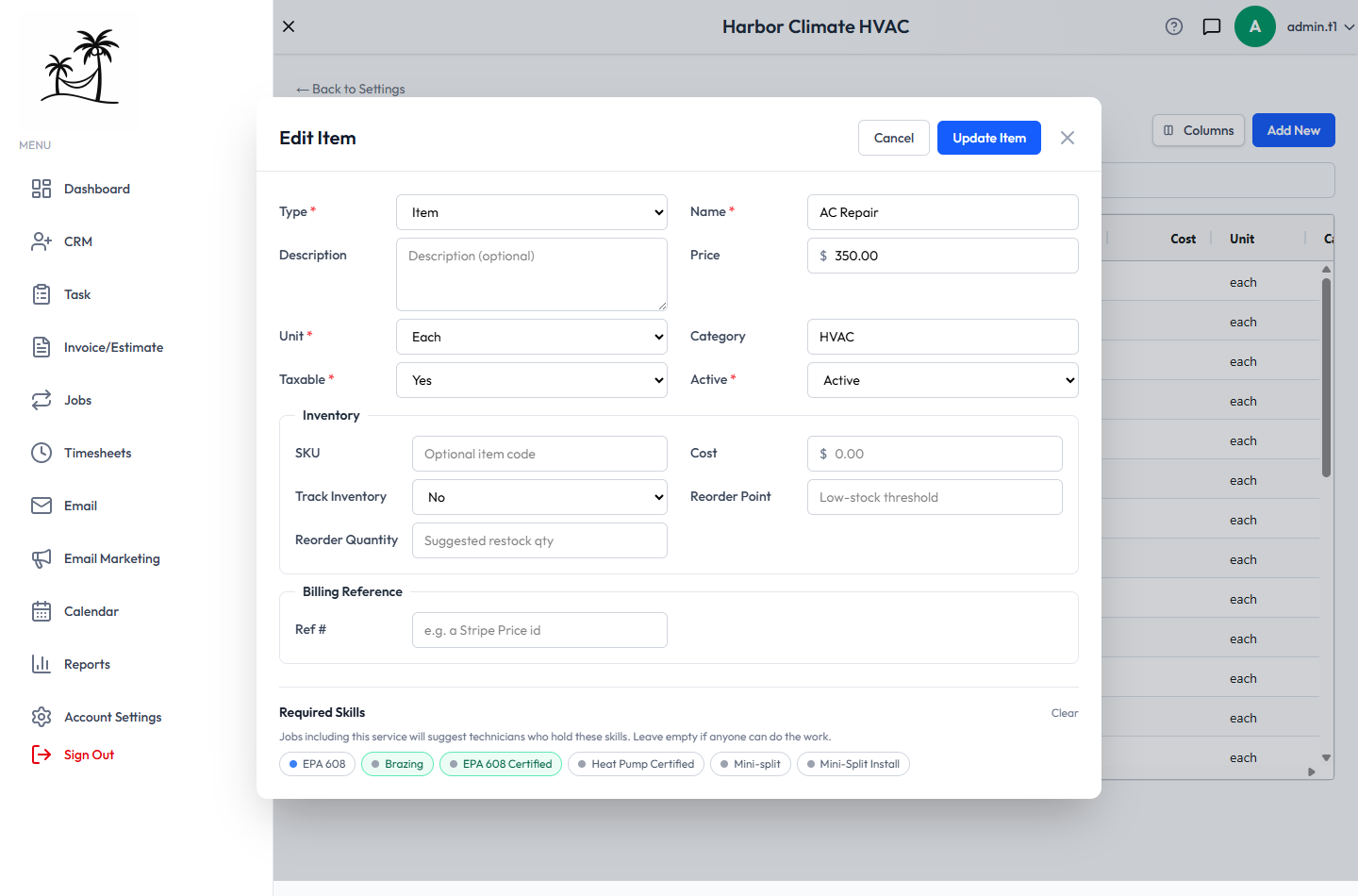
Inventory tracking
Any item can be marked Track Inventory, with a quantity on hand, reorder point, and reorder quantity — see Tracking Stock and Parts.
Required skills
If you use skill-based dispatch, attach the skills a service requires directly on the catalog item — a job's overall required skills are the union of the skills of everything on it. The catalog grid's Skills column shows what's attached to each service at a glance. See Dispatch.
Packages: bundling items together
Set Type to Package to build a bundle instead of a single item. A package is made up of individual catalog items, each with its own quantity — packages can only contain items, not other packages. When a package is added as a line item anywhere, it automatically expands into all of its individual child line items rather than staying collapsed as one line.
Where the catalog gets used
Estimates, Invoices, and Jobs all pull from this same catalog when you choose "Add from Service Catalog" instead of typing a line item by hand — keeping it current means pricing stays consistent everywhere.
Tips
- Build your most common bundles as Packages early — it turns a five-line estimate into a single click.
- Use Category consistently, since it's free text — an inconsistent list makes searching harder than it needs to be.
- Deactivate old items instead of deleting them if they were ever used on a real estimate or invoice, to keep historical documents accurate.
- Double-check the Taxable flag on labor-only items — it's easy to default everything to taxable and overcharge tax on a service that shouldn't have it.